
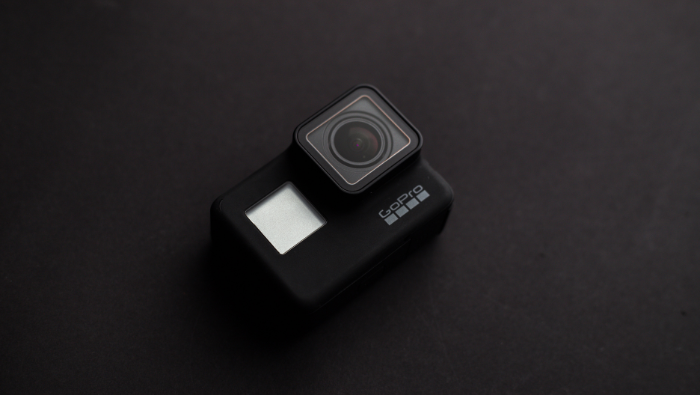
How to Use GoPro 10 Black for Amazing Adventure Shots
If you love adventure and want to capture your best moments in a clean and clear way, then the GoPro 10 Black is the right camera for you. It is small, strong and very powerful. This camera works well in mountains, water, snow, sand and almost every place where normal cameras cannot survive. With the right techniques, you can shoot amazing adventure videos and photos easily.
In this blog you will learn simple and effective tips that will help you improve your shooting skills.
Why GoPro 10 Black is Perfect for Adventure
The GoPro Hero 10 comes with a fast GP2 processor that makes the camera smooth and responsive. It records high-quality videos and sharp photos even in low light. Another major advantage is HyperSmooth 4.0, which keeps your footage stable even during running, jumping or riding.
Apart from this, the camera is waterproof and extremely durable. You can take it underwater or use it in heavy rain without worry. Therefore, it becomes a perfect choice for outdoor and adventure lovers.
How to Set Up GoPro 10 Black Before Shooting
Before shooting, the camera must be set correctly. Good settings always give better results, so choose them wisely.
Choose the Right Resolution
GoPro 10 Black offers up to 5.3K resolution for clean and detailed videos.
Use these resolutions based on your need:
-
5.3K – For high-quality, cinematic shots
-
4K 60fps – For smooth action videos
-
1080p – For long recordings and saving battery
Pick the Correct Frame Rate
Frame rate controls how smooth your videos look.
-
30fps – Good for slow or normal movement
-
60fps – Ideal for fast action
-
120fps – Best for slow-motion shots
Select the Best Field of View
GoPro 10 has multiple field-of-view options:
-
Wide – Great for adventure landscapes
-
Linear – Gives natural straight lines
-
SuperView – Gives the widest and deepest look
Use HyperSmooth 4.0 to Stop Shaking
Adventure footage often becomes shaky. However, GoPro 10 Black solves this with HyperSmooth 4.0, which keeps your videos steady even during fast movement. It works great for cycling, skiing, trekking and running. Because of this feature, your videos look professional and smooth.
Best Shooting Modes in GoPro 10 Black
The camera offers several useful modes designed especially for adventure recording.
TimeWarp Mode
TimeWarp creates smooth fast-forward clips. It is perfect for long walks, bike rides and travel journeys.
Slow Motion Mode
This mode is best for jumps, water splashes or any fast activity. As a result, it adds a dramatic look to your adventure clips.
HindSight Mode
Sometimes great moments happen before you hit record. HindSight solves this by saving the last 15–30 seconds automatically, so nothing is missed.
Mounting GoPro 10 Black Like a Pro
The mount you choose completely changes how your shot looks.
-
Helmet Mount – Gives a first-person view (biking, ziplining, skating).
-
Chest Mount – Provides a stable and natural angle (trekking, running, climbing).
-
Handlebar Mount – Best for cycling and road shots.
Lighting and Color Settings
Good lighting is extremely important for beautiful footage.
Use Natural Light
Morning and evening light gives a soft golden glow, while afternoon light is bright. Therefore, adjust exposure according to the situation.
GoPro Color vs Flat Color
-
GoPro Color – Bright, ready-to-use colors
-
Flat Color – Best for those who edit videos later
ISO and Shutter Tips
-
Keep ISO low for cleaner videos
-
Use faster shutter for fast movement
-
Use Low-Light Mode at night
Taking Great Photos with GoPro 10 Black
Burst Photo Mode
Burst mode clicks multiple photos at once so you can choose the best shot. It is perfect for action scenes.
Night Photo Mode
Night mode helps you capture clear photos during night treks, sky shots or low-light locations.
Editing GoPro Shots with Quik App
The Quik app makes editing simple and quick.
-
Auto Editing – Automatically creates a short highlight video
-
Filters & Tools – Adjust color, add music, apply filters and change speed effects
Saving Battery on Adventure Trips
Long adventure days need long battery life, so follow these tips:
-
Reduce screen brightness
-
Turn off features you don’t need
-
Carry extra batteries
-
Keep batteries warm in cold weather
Using GoPro 10 Black Underwater
Since the GoPro 10 Black is waterproof, underwater shooting becomes fun and easy.
Underwater Tips
-
Stay near the surface for better light
-
Use a red filter for natural colors
-
Move slowly for clear shots
-
Record in short clips for better quality
Final Thoughts
The GoPro 10 Black is a strong, smart and reliable camera for any adventure lover. With smooth stabilization, sharp quality and easy controls, it helps you capture amazing memories. By using the right settings, correct mounts and simple techniques, you can shoot great videos whether you are hiking, diving or cycling through forests.
1. Is GoPro 10 Black good for beginners?
Yes. GoPro 10 Black is simple to use. It has auto settings, strong stabilization and easy controls. Even a beginner can shoot clean and smooth adventure videos.
2. Can I use GoPro 10 Black underwater?
Yes. GoPro 10 Black is waterproof up to 33 feet. You can use it while swimming, snorkeling or in rain. For deep water you can use an extra housing case.
3. Which resolution is best for adventure videos?
5.3K gives the highest detail. For smooth action 4K 60fps is best. If you want to save battery use 1080p.
4. How do I stop shaky videos?
Turn on HyperSmooth 4.0. It keeps your GoPro 10 Black footage steady even when you run or ride.
5. Which mount is best for cycling?
Handlebar mount is the best for cycling. It gives a clear view of the road and keeps the camera stable.